Bring your own servers.
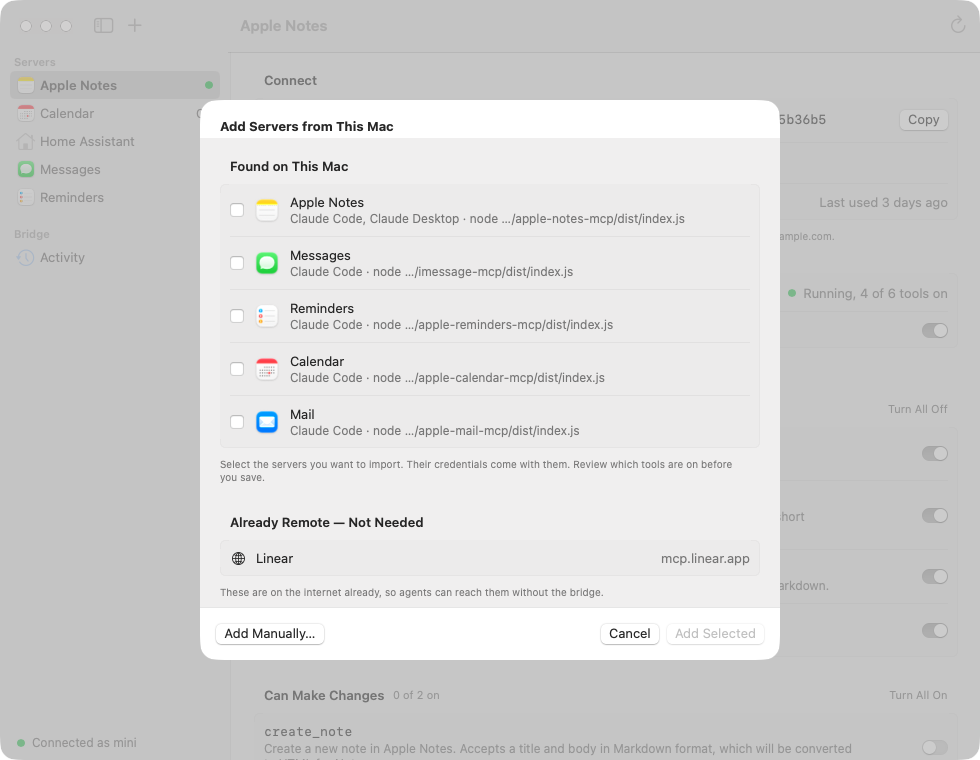
Import existing MCP configurations from apps like Claude Code and Codex, or add a server by hand.
MCP for macOS
Connect remote AI clients to the MCP tools on your Mac. Choose what each server shares from one native app.
Apple silicon · macOS 14 or later · Node.js 22+
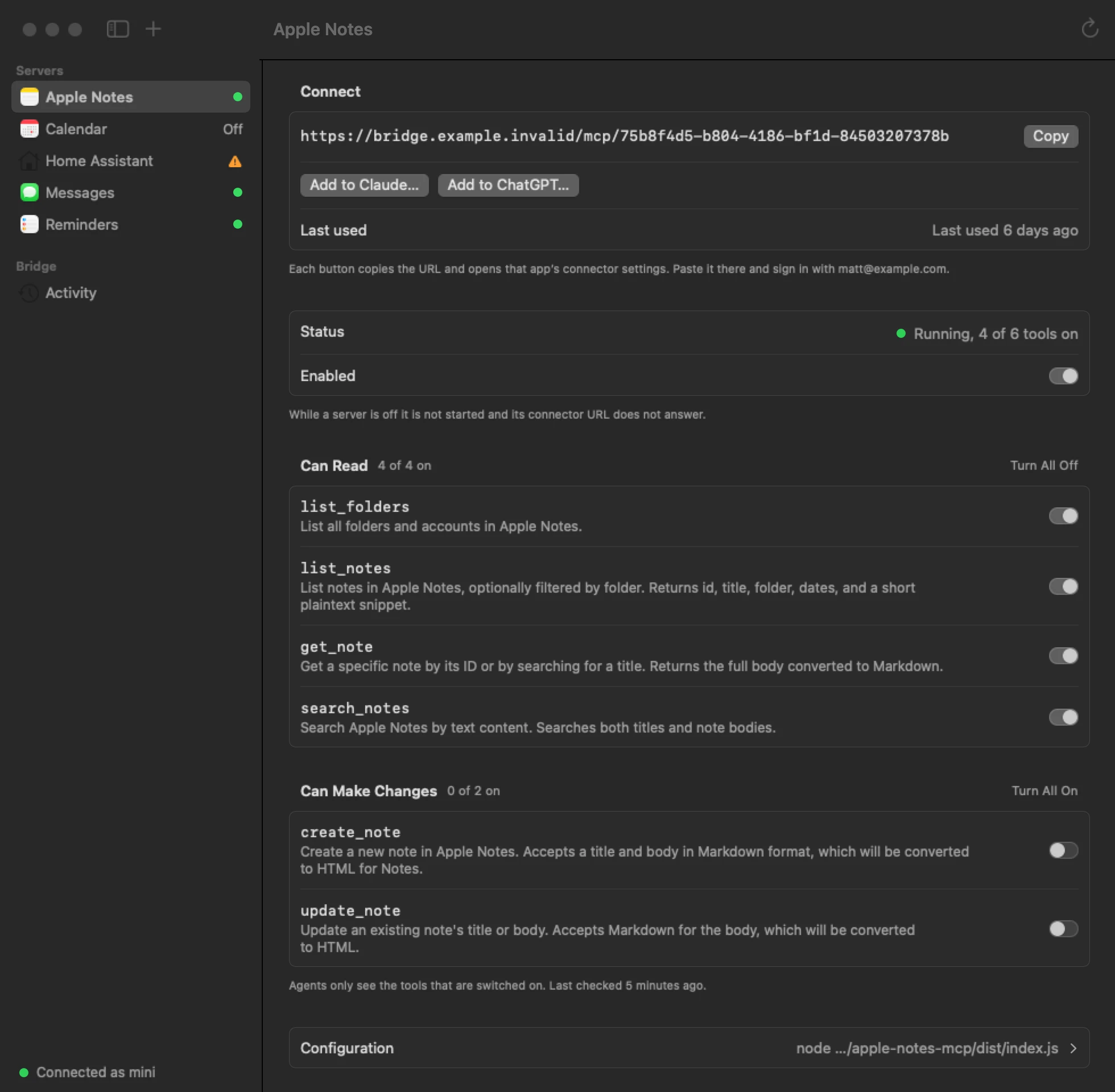
A native Mac app
Import the MCP servers you already use. Give each server its own connector URL and switch on just the tools you want available.
Import existing MCP configurations from apps like Claude Code and Codex, or add a server by hand.
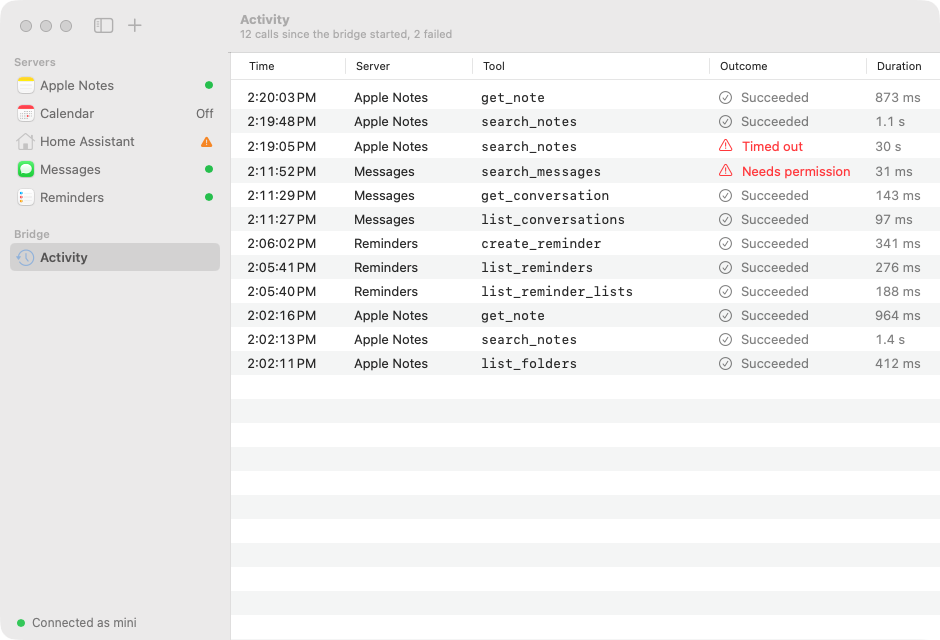
Review tool names, outcomes, and timing in Activity. The audit trail leaves out tool arguments and results.
Built on AWS
The Mac opens a WebSocket to AWS. A remote client signs in over HTTPS, and AWS relays its MCP calls over that connection. There are no inbound ports to open on your Mac.
Calls the server’s UUID-based connector URL with an OAuth access token.
/mcp/<uuid>
An auth Lambda sends the magic link through Amazon SES. A separate Lambda authorizer verifies the Mac’s signed connection request. The device’s private key stays in its Keychain.
A WebSocket Lambda writes the result to the pending DynamoDB record. The MCP Lambda reads it, applies any configured filters, logs tool names and outcomes without arguments or results, and responds over HTTPS.
Calls fail promptly when the Mac is offline. There’s no queue for later delivery.
Hosted or self-hosted
Start with a free hosted account, upgrade to Plus for more Macs and tools, or run the bridge in your own AWS account.
$0
$6 / month
Your AWS account
Run the bridge on AWS infrastructure you control and pay AWS for your usage.
Self-hosting guideOpen source
The SwiftUI app, Node daemon, and AWS CDK stack are open source under the MIT License. Read the code, contribute, or deploy the bridge in your own AWS account.
Local Bridge on GitHub